Live
Amateur Radio Console
Is it worth turning the radio on?
An offline-first console for radio amateurs: propagation measured at your own grid, a logbook that needs no signal, and a straight answer to whether it's you or the Sun.
Free · offline-first
CX22OP · OPS
Free
No account, no catch
Measured
Not just modelled
Built for
Operators deciding whether to key up
Park and summit activators
CW learners
The shack display
What it solves
The problem, and what changes.
Before
With CX22OP
01
You call CQ, hear nothing, and start doubting the antenna.
NOAA's measured D-layer absorption, sampled at your grid, names the bands the Sun is eating.
02
Propagation read off a global average, not off your square.
Live WSPR reports at your grid, with what is measured kept apart from what is forecast.
03
A summit, a park, no signal, and a logbook that needs one.
A logbook that works offline with no account, and counts your countries as you go.
One console
Is it the band, or is it the Sun?
CX22OP starts from your grid square, says which band is carrying from there — or that the Sun is why nothing is — and marks the live spots your log has never had. It never transmits: keying the radio stays your job.
← Swipe for the whole diagram →
Why it's different
The short case for CX22OP.
01
Free
No account, no catch
Your callsign and grid stay on your device.
02
Measured
Not just modelled
Observations and forecasts, side by side and labelled.
03
Offline
Installs anywhere
An app on any device, and it keeps working with no network.
04
CW
A Morse room that answers
A practice partner at three levels, and public rooms to key in.
See it
Every screen, and what you do on it.
06 SCREENS · CLICKTAP TO ENLARGE
CX22OP
01 / 06
01
Ops
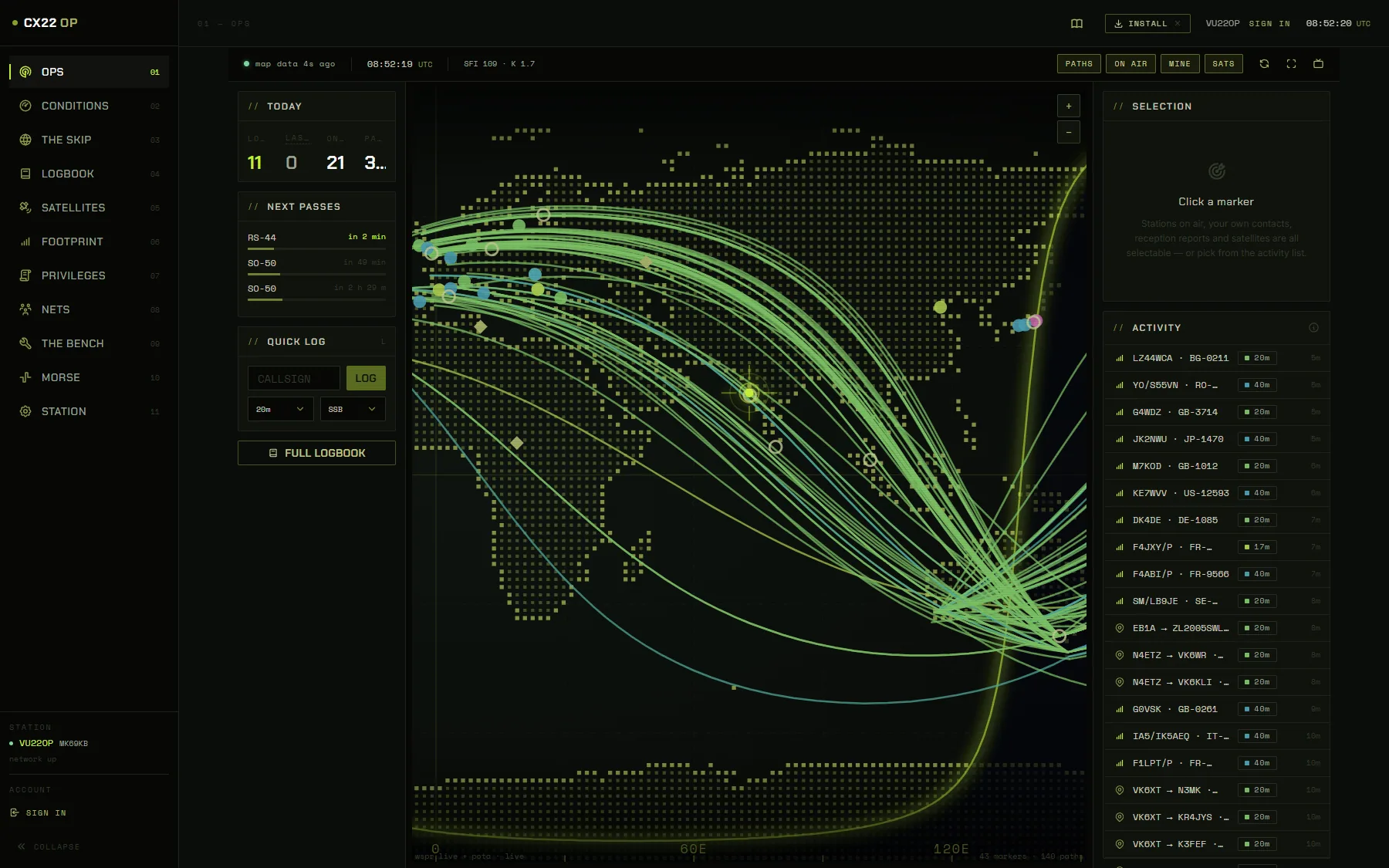
Shows what is happening on the bands right now, and logs a contact without leaving the page.
Watch the map — every curve is a signal a receiver somewhere actually heard in the last few minutes.
Press L, type a callsign, press Enter. The contact is in your log.
Click any marker to see who it is, how far away they are, and which way to point.
Watch the console work
Every screen, narrated
5:33
Questions